
AI photos for Feeld and what its rules say
Feeld is the only app covered on this site that writes down a position on AI images, and the position is narrower than most people assume: the published rule prohibits malicious use, not the technology. DatifyAI generates from your own face, which is the version of this that has nothing to do with the word malicious.
- 2 free photos, no card
- A 4-photo set from $1.40
- Full-length frames included
- A face Veriff can match
Feeld’s AI rule turns on intent, not tooling
Start here, because it is the reason this page exists. Feeld's safety and community guidelines contain the sentence Malicious use of AI generated images is prohibited on our platform.
Every word of that matters. It is not a ban on generated images. It is a ban on a purpose, and the two are different rules with different consequences.
The context makes the purpose obvious. The sentence sits in a section that opens We are who we say we are.
and goes on to state that Fake Member profiles, … impersonations, or other intentional misrepresentations of identity are not allowed.
and that We don’t allow Members to use other peoples’ photos without their consent, as this is inauthentic and sets the stage for misrepresentation within the community.
The through-line is identity. A photograph of your own current face, in a scene you would plausibly be in, is not a misrepresentation of identity by any reading. A face that is not yours is, whatever built it.
Read on 5 August 2026, and Feeld can change any of it at any time, so treat the linked guidelines as the live version rather than this page.
What the clause targets
Malicious use. Presenting a face that is not yours, or a person who does not exist.
What it does not say
It does not prohibit generated images outright, and this page will not pretend it does.
The only app here that makes your face optional
Every other app on this site requires a visible face somewhere, and several require it in the main photo specifically. Feeld's image guidelines instead ask you to Show your face (if you feel comfortable doing so).
That parenthesis is a deliberate piece of product design on an app where discretion is often the point.
Feeld is also honest about what the option costs, which is rarer. Its profile advice states that Faceless profiles are far less likely to make connections and are sometimes mistrusted.
Both things are true at once: you may keep your face out of it, and it will cost you. Knowing the size of that trade is more useful than being told there is not one.
More than 3
Photos, in Feeld’s words
Profiles with more than 3 photos get more Likes.
No minimum or maximum is published.
Optional
Showing your face
Asked for if you are comfortable, not required, which no other app here says.
Veriff
Who confirms likeness
Feeld names its third-party verification provider outright, which is unusually specific.
A 4-photo plan, built from Feeld's own advice
Feeld publishes no photo limit at either end. It does state that profiles with more than 3 photos get more Likes, so 4 is the smallest set that clears its own bar, and every slot below is drawn from something Feeld actually recommends: a full body photo, photos that show your real life, and variety rather than repetition.

Slot 1 · Smart Casual
The one that establishes who you are
Feeld makes showing your face optional and then tells you what the option costs. If you are comfortable being seen, this is where that happens, clearly lit and unmistakably current.
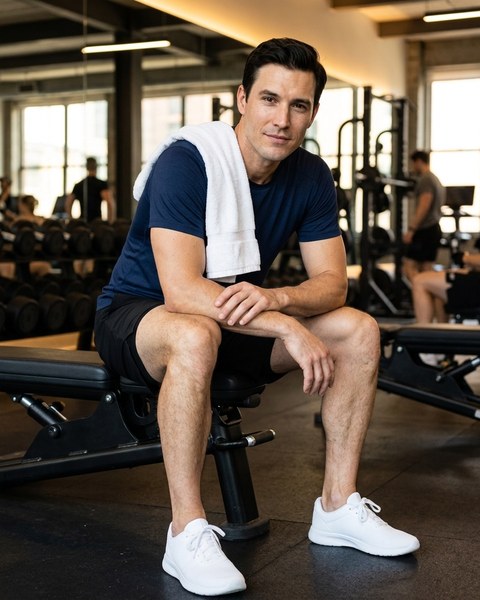
Slot 2 · Athletic
The full-length one Feeld asks for
Feeld specifically recommends at least one full body photo. Give it a proper frame rather than a cropped afterthought, because it is the photo doing the work the headshot cannot.

Slot 3 · Museum
The one that shows an actual life
Feeld's own advice is clear, well-lit photos that showcase your actual life. A room you go to, an interest you have, something that could be asked about in a first message.
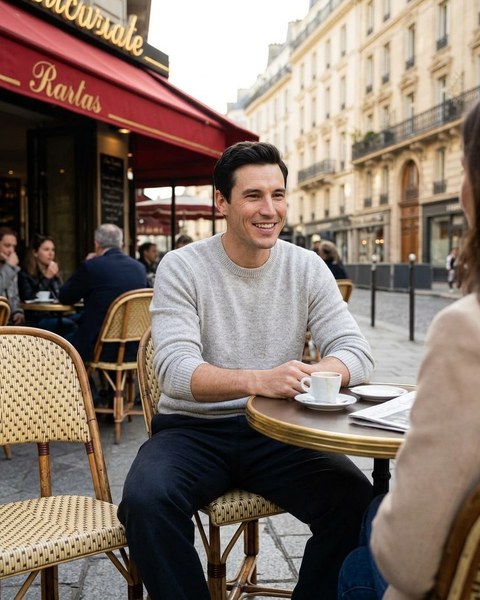
Slot 4 · Cafe
The one that breaks the pattern
Feeld asks for variety rather than four versions of one idea. Different setting, different light, different energy. This is the slot that stops the set reading as a single afternoon.


Twelve styles ship in total, and a custom prompt covers anything the presets do not. Look through every preset with a sample photo.
Recent, well lit, and actually your life
Feeld's profile advice gives three instructions worth taking literally, because they line up exactly with what makes a generated set work or fail. Use recent photos taken in the last few years. People can spot outdated photos.
Use clear, well-lit photos that showcase your actual life.
Show variety, not just mirror selfies.
All three are arguments for generating from a current reference photo rather than reaching for the best photo of you that exists, which is usually four years old. The reference is where recency comes from. DatifyAI generates in 4:5, 1:1, 9:16, one reference photo drives all of them, and each generation returns one photo.
- Face fully visible in the reference photo, front on and well lit
- No sunglasses or heavy shadow in the shot you upload
- One person in frame, so the model has no ambiguity about whose face to keep
- A recent photo, since the output can only be as current as the input
Verification is a likeness check, run by a named third party
Feeld's verification article describes the mechanic without hedging. You Choose a profile photo and continue through the steps to take a live selfie.
Then Both your profile photo and your live selfie are sent to our third-party provider, Veriff, who confirms the likeness.
The badge shows next to your name, on the verified photo, and in your photo gallery bar.
Likeness is the entire test. It is not a check on how a photo was produced, and no published Feeld page claims it is. That makes preserving your real face the literal pass condition, and it is why DatifyAI works from a photo of you rather than inventing a person. The longer version is in how dating app photo verification works.
Two rules Feeld states about moderation
- Nudity and highly sexualised images are not allowed on profiles, and flagged images are blurred rather than quietly removed.
- Applying filters to forbidden photos to bypass its detection tools will also get your account banned, in Feeld's own words.
Are AI photos allowed on Feeld?
The published answer is conditional, and this page is going to leave it that way. Feeld prohibits Malicious use of AI generated images
. It does not publish a blanket prohibition, and it does not publish a permission either. What it publishes is a test about intent, sitting inside a section about being who you say you are.
So the question to ask yourself is not which tool made the file. It is whether the person in the photo is you, at your current age and build, doing something you would plausibly do. If the answer is yes, nothing in the quoted rule describes what you are doing. If the answer is no, no tool and no wording rescues it.
Other apps are not conditional at all, and pretending otherwise would be selling you an account ban. Coffee Meets Bagel and Grindr both publish flat prohibitions on AI-generated profile images, in plain language, with consequences attached. If you are on either of those, the answer is no, and the permission guide quotes both rules in full. The detection question gets its own honest answer in can dating apps detect AI photos.
Staying on the right side of it
- Use your own current face. Not a younger one, not a thinner one, not a friend's.
- If you choose a faceless profile, know what Feeld itself says it costs you.
- Keep the build, hair and wardrobe close to how you actually turn up.
- Keep photos recent, because Feeld's own advice is that people can spot outdated ones.
- Skip scenes that imply a life you do not have, since the conversation has to survive them.
What 4 photos cost
One photo is 5 credits, so a 4-photo Feeld set is 20 credits, or $1.40 at the best rate on the site. The first 2 photos on a new verified account are free with no card, and the entry pack at $9.99 covers 5 sets of that size. Full breakdown on the pricing page, and every purchase is covered by a 14-day refund and the Triple Match Guarantee.
Feeld photo questions
- Are AI photos allowed on Feeld?
- Feeld is the only major app of the ones covered here that addresses this directly and conditionally. Its community guidelines state: “Malicious use of AI generated images is prohibited on our platform.” That sentence prohibits a use, not a tool, and it sits inside a section about being who you say you are, alongside rules against fake profiles, impersonation and using other people's photos without consent. A generated photo of your own current face is not the thing that section describes. A generated face that is not yours is. Read the linked guidelines rather than this page, because Feeld can change them at any time.
- How many photos should a Feeld profile have?
- Feeld publishes no minimum and no maximum. What it does publish, in its own image guidelines, is that profiles with more than 3 photos get more Likes. So 4 is simply the smallest number that satisfies Feeld's own sentence, and it is presented here as a starting point rather than a rule.
- Does Feeld require you to show your face?
- No, and it is the only app covered on this site that says so. Its image guidelines ask you to show your face if you feel comfortable doing so, which is permission rather than a requirement. Feeld is equally direct about the cost: its profile advice states that faceless profiles are far less likely to make connections and are sometimes mistrusted.
- How does Feeld photo verification work?
- Feeld's verification article describes choosing a profile photo and continuing through the steps to take a live selfie. It then states that both your profile photo and your live selfie are sent to its third-party provider, Veriff, who confirms the likeness. The badge appears next to your name, on the verified photo, and in your photo gallery bar.
- Will Feeld verification match an AI photo?
- It matches if the photo is genuinely of your face, because likeness is the entire test being run. DatifyAI generates from a reference photo of you and preserves your features, hair and proportions rather than replacing them, so the person in the verified photo is the person taking the live selfie. A photo of somebody else fails, whatever produced it.
- What does Feeld say about filters?
- Its image guidelines warn that applying filters to forbidden photos to bypass its detection tools will also get your account banned. That is a rule about evasion rather than about editing in general, but the direction is worth noting: Feeld treats attempts to get past its moderation as a more serious problem than the underlying photo.
- What size should Feeld photos be?
- Generate in a portrait or square frame rather than a wide landscape one, because every dating app re-crops what you upload into its own layout and a wide frame is the one most likely to lose the top of your head. DatifyAI outputs 4:5, 1:1, 9:16, and the vertical frame is the natural home for the full body photo Feeld asks for.
- What does a set of Feeld photos cost?
- Every new verified account gets 2 photos free with no card. A 4-photo set is 20 credits, which is $1.40 at the best rate on the pricing page, and the entry pack at $9.99 covers 5 sets of that size.
- What if the photos do not get me more matches?
- Any purchase is refundable in full within 14 days, no questions and no form. The Triple Match Guarantee goes further and returns the money if weekly matches have not at least tripled after 30 days with the photos live.
Feeld’s AI clause and every other rule quoted above are lines in the free checklist of published photo rules.
Three neighbouring questions come up constantly: what makes a dating photo work, how many photos a profile should have, and shadowbans, bans and appeals.
Build the set this week
Upload one clear selfie, pick a style per slot, and the first 2 photos cost nothing. After that a 4-photo set is $1.40 at $0.35 a photo.
Get 2 free photosAlso available for Hinge, Tinder, Bumble, OkCupid, Match.com, Badoo and The League.