
AI photos for Hinge that still look like you
Hinge asks for 4 to 6 photos and 3 prompt answers before a profile can go live, which is more good photos than most people own. DatifyAI turns up to 3 photos of you (one is enough) into the rest of them, in scenes that suit each slot, while keeping the face in them yours.
- 2 free photos, no card
- A full 6-slot profile from $2.10
- Two options every generation
- Photos of your face, not a stranger's
What Hinge actually asks for
Worth starting from the rules rather than from advice, because the rules are published and the advice mostly is not. Hinge's own help centre states that members are required to have between 4 and 6 photos, depending on local requirements, along with 3 prompt answers, and its community guidelines add that daters must have one photo that clearly shows their face. These were read on 5 August 2026 and Hinge can change them at any time, so treat the linked articles as the live version rather than this page.
3
Prompt answers
Text does the talking Hinge is known for. Photos still decide whether anyone reads it.
Why Hinge punishes a thin photo set harder than Tinder does
The structural difference is in how a Like works. Hinge's own documentation describes sending one by tapping the heart on any of their photos or prompts, and notes that adding a comment to a Like makes it more likely to get a response. A Like therefore lands on one specific thing, not on the profile in aggregate.
That changes what a photo is for. On a swipe-first app a weak photo is a photo nobody reacts to. On Hinge a weak photo is a slot that cannot be liked, and running 4 photos where 6 are allowed removes two chances for a stranger to find the specific thing they wanted to say something about. Six different photos is six doors. Six variations of the same headshot is one door photographed six times.
A Like targets one photo
Every empty or repetitive slot is a target you did not put on the board.
Comments beat bare Likes
Photos with something specific happening in them are easier to comment on than a plain portrait against a plain wall.
A 6-slot plan, and the style for each one
Each slot below has a different job, and each names a style that actually ships in the app. Generating six photos against this plan takes about as long as scrolling your camera roll looking for six that will do.
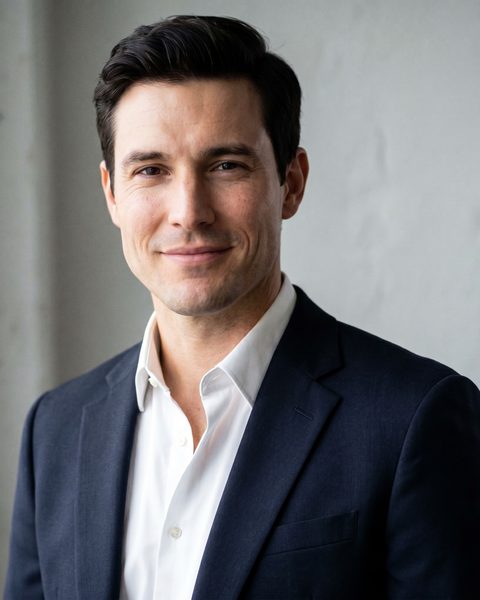
Slot 1 · The Headshot
The one that has to show your face
Hinge requires a photo that clearly shows your face, and this is the frame most people decide on. Shoulders up, eyes visible, nothing covering half of you.
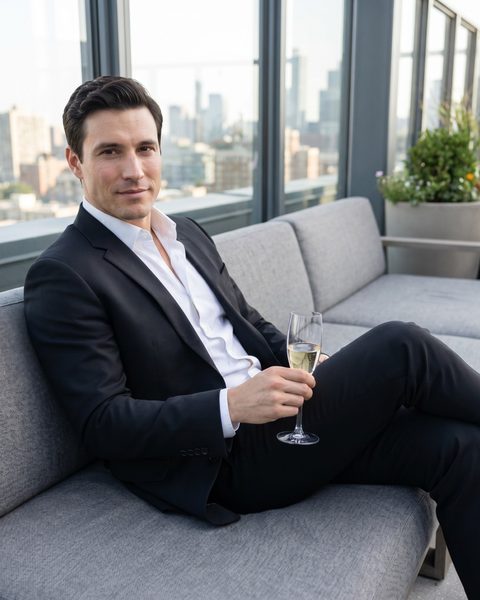
Slot 2 · Smart Casual
The one that shows the rest of you
A full-length or three-quarter frame answers the question every dater silently asks after a headshot. Leaving it unanswered is why profiles stall at the like stage.
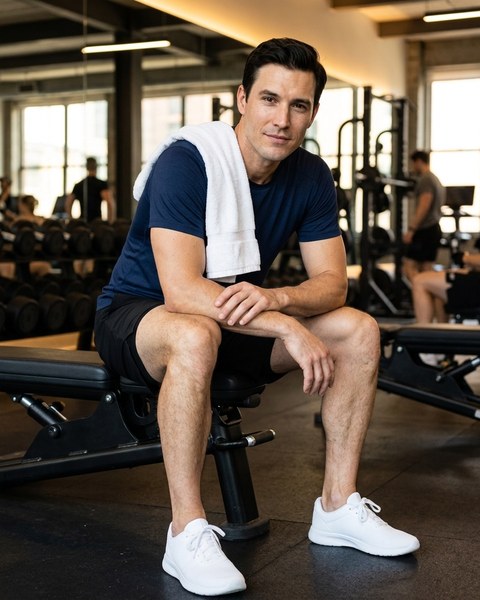
Slot 3 · Athletic
The one that is doing something
Movement gives a stranger something to react to. On Hinge a Like lands on a specific photo, so a photo with an activity in it is a photo that can be commented on.
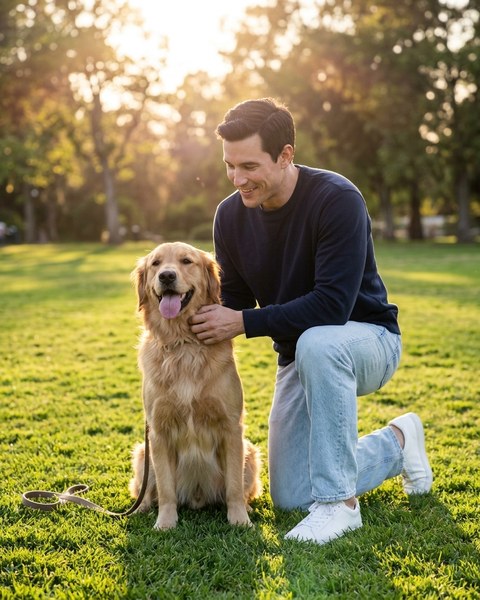
Slot 4 · Dog Lover
The warm one
Relaxed, unposed, human. This is the slot that stops a profile reading like a résumé, and a dog in frame does the job faster than any prompt answer.
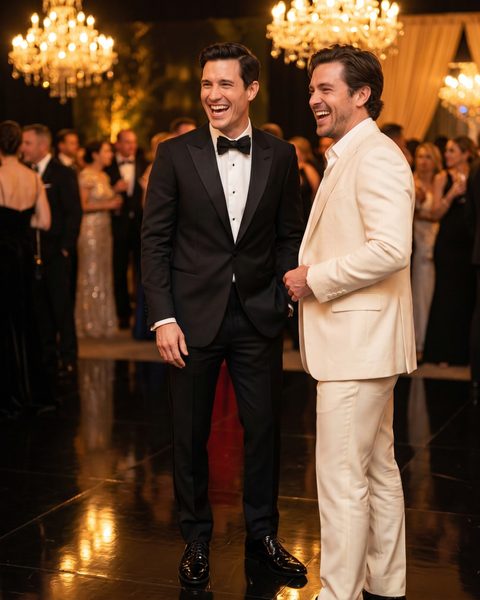
Slot 5 · Black Tie Night
The one with other people in it
Being visibly welcome somewhere reads as social proof without a word of text. Keep yourself clearly identifiable so nobody has to guess which person is you.
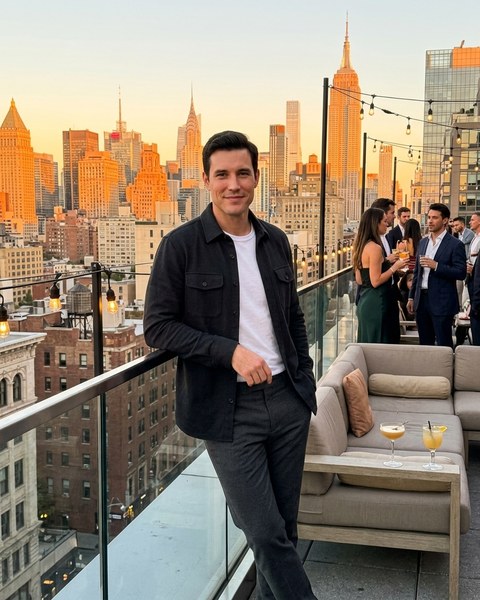
Slot 6 · Golden Hour Rooftop
The one with a place in it
A recognisable setting is the easiest comment opener a stranger will ever get. Rooftops, cafés and travel scenes all hand someone a first line for free.


Twelve styles ship in total, and a custom prompt covers anything the presets do not. Every one of them is laid out on the page that shows all twelve styles, and the Hinge profile guide covers the prompt answers that sit beside these photos. Running Bumble alongside Hinge is common, and the comparison of Hinge and Bumble sets out where the same photo set has to be ordered differently.
Are AI photos allowed on Hinge?
This is the question that actually stops people buying, so here is the unvarnished version. Hinge's prohibited content policy does not ban AI editing as such. What it prohibits is deception. Members may not misrepresent themselves by posting someone else's photo or likeness, and may not use fake identities or AI-generated content to mislead others. The community guidelines add that posting misleading or outdated photos is misaligned with Hinge's values of honesty and authenticity, and sum the whole thing up in one line: what you share should be real, personal, and current.
Read those together and the line is about identity, not about tooling. A fabricated person is the problem. A photo generated from your own face, at your current age and build, in a scene you would plausibly be in, is a different object entirely, and it is the only kind DatifyAI is built to make. The product preserves your recognisable face, hair and proportions rather than replacing them, because a photo that gets a match and then fails to match the person who shows up has cost you the evening, not won you one.
Nobody outside Hinge can tell you exactly what its review systems detect, and any company that claims otherwise is guessing at your expense. The controllable question is whether the photo is honest, and that one has a clear answer.
The full version of this answer, with Tinder and Bumble alongside Hinge and every rule quoted from the page the company publishes it on, is in are AI photos allowed on dating apps. The detection question gets its own honest answer in can dating apps detect AI photos, and Face Check is broken down step by step in how dating app photo verification works.
Staying on the right side of it
- Use your own current face. Not a younger one, not a thinner one, not a friend's.
- Keep the build, hair and wardrobe close to how you actually turn up.
- Refresh the set when you change materially, since outdated photos are called out by name in the guidelines.
- Skip scenes that imply a life you do not have. A yacht you have never been on is a conversation you cannot finish.
- Keep at least one plain, clearly lit photo of your face with nothing clever happening in it.
Framing, cropping and what to generate
Every dating app re-crops what you upload into its own layout, and a wide landscape photo is the one most likely to lose the top of your head to it. DatifyAI generates in 4:5, 1:1, 9:16, and for Hinge the square and portrait frames are the safe defaults, with the vertical frame kept for full-length shots. One reference photo drives all of them, and each generation returns one photo.
- Face fully visible in the reference photo, front on and well lit
- No sunglasses or heavy shadow in the shot you upload
- One person in frame, so the model has no ambiguity about whose face to keep
- A recent photo, since the output can only be as current as the input
What 6 photos cost
One photo is 5 credits, so a full 6-slot Hinge profile is 30 credits, or $2.10 at the best rate on the site. The first 2 photos on a new verified account are free with no card, and the entry pack at $9.99 covers 3 complete profiles, which leaves room to rebuild the set as the seasons change. Full breakdown on the pricing page, and every purchase is covered by a 14-day refund and the Triple Match Guarantee.
Hinge photo questions
- How many photos does a Hinge profile need?
- Hinge's help centre states that members are required to have between 4 and 6 photos, depending on local requirements, alongside 3 prompt answers. Filling all 6 slots gives you the widest surface for someone to like, since a Like on Hinge attaches to one specific photo or prompt rather than to the profile as a whole.
- Are AI photos allowed on Hinge?
- Hinge's published rules do not ban AI editing outright. What they prohibit is deception: posting someone else's photo or likeness, using fake identities or AI-generated content to mislead others, and posting misleading or outdated photos. A generated photo of your own face, in a scene you would plausibly be in, is a different thing from a fabricated person. Keep it recognisably you and you are inside the intent of the rule. Fabricate a face, a body or a life you do not have and you are not, whatever tool produced it.
- Will Hinge know a photo was AI generated?
- Nobody outside Hinge can answer that honestly, and any company claiming to know exactly what a dating app detects is guessing. The useful question is the one you can control: does the photo look like you when you turn up? Photos that stay close to your real face, build and wardrobe survive both automated review and the first date, which is the only test that actually counts.
- What kind of photos work best on Hinge?
- Variety across the 6 slots beats six versions of the same shot. A clear face photo, a full-length frame, something active, something warm, something social and something with a real setting covers the ground. Hinge's own Likes documentation notes that adding a comment to a Like makes a response more likely, so photos that give a stranger something specific to comment on are doing double duty.
- Can I put a generated photo in my main Hinge slot?
- Yes, and the first slot is where a clear, well-lit face photo earns the most. Hinge's community guidelines require at least one photo that clearly shows your face, so whatever sits in that slot, generated or not, should be unmistakably you at your current age and appearance.
- What size should Hinge photos be?
- Generate in a portrait or square frame rather than a wide landscape one. DatifyAI outputs 4:5, 1:1, 9:16, and the square and portrait options leave the least room for an app's own cropping to cut your head off. Save the vertical frame for full-length shots.
- How much does a full Hinge profile of photos cost?
- Every new verified account gets 2 photos free with no card, so the first two slots cost nothing. A complete 6-photo set is 30 credits, which works out to $2.10 at the best rate on the pricing page. The cheapest pack is $9.99 and covers 3 full profiles.
- How many photos do I need to upload to get started?
- One. DatifyAI works from a single clear, well-lit photo where your face is fully visible, and every generation returns one photo. You can swap in a different reference photo on any later generation if a look is not landing.
- What if the photos do not get me more likes?
- Any purchase is refundable in full within 14 days, no questions and no form. The Triple Match Guarantee goes further and returns the money if weekly matches have not at least tripled after 30 days with the photos live.
Each rule quoted above has its own tickable line in the free photo checklist for every app here, which covers Hinge alongside every other app researched here.
Three decisions sit next to the photo set: how many photos a dating profile should have, what makes a dating photo work, and why a profile stops getting matches.
Fill all 6 slots this week
Upload up to 3 photos (one is enough) pick a style per slot, and the first 2 photos cost nothing. After that a full profile is $2.10 at $0.35 a photo.
Get 2 free photosAlso available for Tinder, Bumble, OkCupid, Match.com, Badoo, Feeld and The League.